Product description
Nero BackItUp – The backup software for Windows

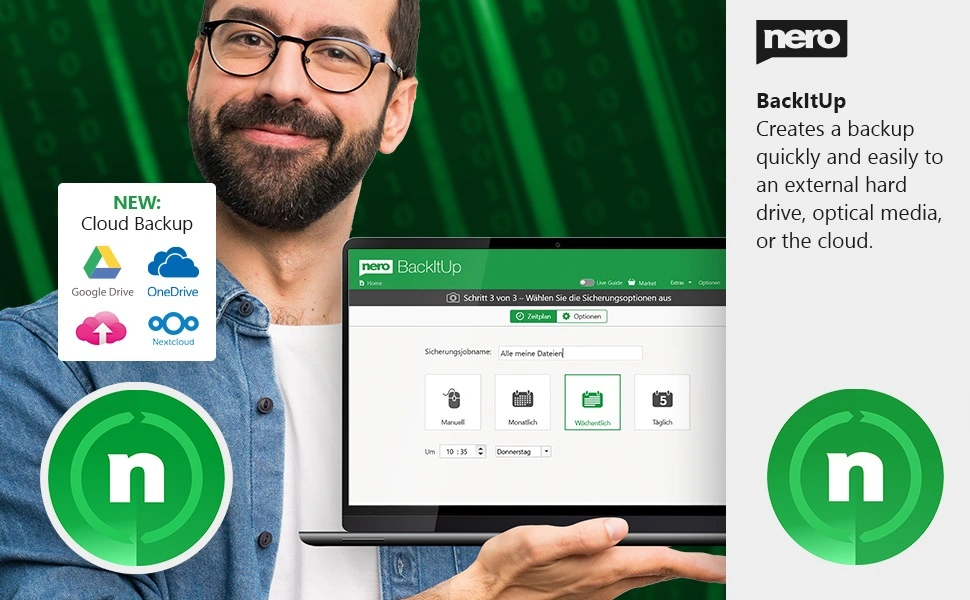
Reliable backup for your beloved and irreplaceable data
Function Overview
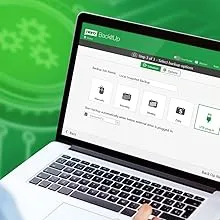
Full automation of your backup
Relax now, knowing that your files are protected: Start your backup daily, weekly, monthly – or whenever you want! Just set a time and date. You can even set up a continuous backup so that Nero BackItUp software continuously protects new files as you update data.
Multiple targets
Back up your backup locally to an additional hard drive, to an external USB drive, or store it in the NAS system – the choice is yours! In any case, the Nero BackItUp software helps you to reliably back up your files twice. Now you can also run your backup using your cloud storage “OneDrive” and “Google Drive”. Of course, data can also be restored online in this way. This means that backup and restore with the Nero BackItUp software are now possible anywhere.

Version management
Unlike other backup programs that only save the most recent version of a file, Nero BackItUp software also backs up older versions that you want to protect. If you change a file, all older versions are kept locally. So even if you delete your file or it gets corrupted, it is always recoverable!

Encryption and compression
You can rest assured that your backup is stored securely thanks to hardware-accelerated AES 256-bit encryption. And with our smart compression algorithm, you can even save some space when you store your files on the USB hard drive.
Backing up data is so fast with Nero BackItUp
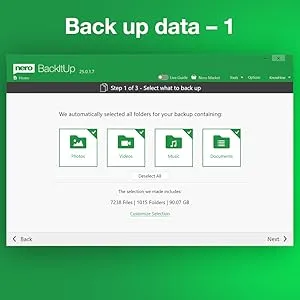
1. Select backup files
Your data is grouped by photos, videos, music and documents. Or simply select folders.
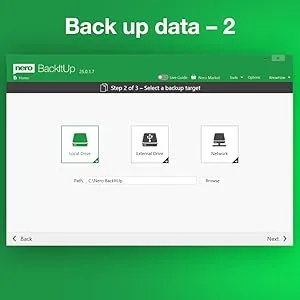
2. Select the backup destination
Local drives, external hard drives, optical discs, network drives (NAS) and many cloud storage devices are supported.
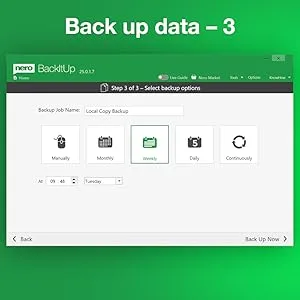
3. Select the backup option
How often a backup should be made and whether it should be encrypted or compressed. The backup starts and your data is in good hands.
Restoring data is so easy with Nero BackItUp
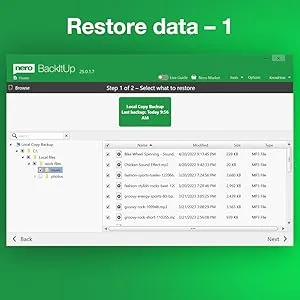
1. Select data to restore
Conveniently via the timeline of your previous backups or by selecting a backup file (also from older Nero BackItUp versions).
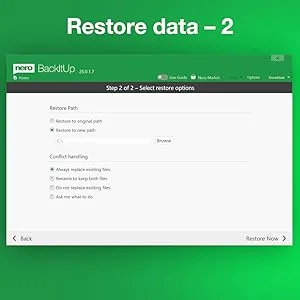
2. Select the restore option
Specify where the data should be written to and determine what happens to duplicates. All data is back in place.
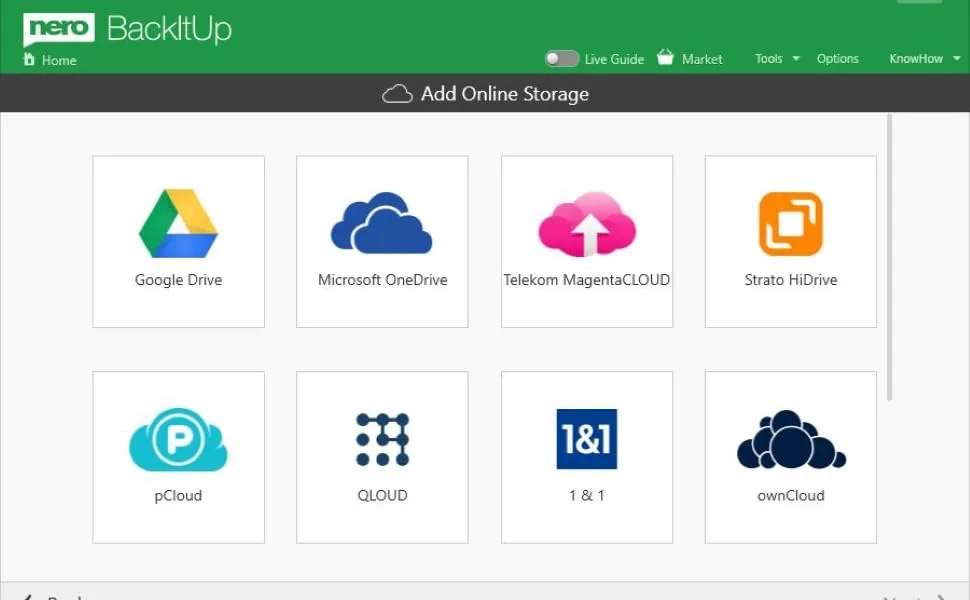
Backups can be stored with various cloud providers
The backup software for Windows
1-Click Backup: One click of a button is all it takes to set up your backup. This makes backing up, rescuing and restoring your data child’s playFully automate your backups: Back up your files daily, weekly, monthly – or whenever you likeMultiple destinations: Back up your files to hard drive, disc, external USB drive, NAS (Network Attached Storage), cloud.Version management: Stores previous versions of files you want to protectEncryption & Compression: Securely stored thanks to hardware-accelerated AES 256-bit encryption, save storage space with our clever compression algorithmPlus free Nero BackItUp APP for Android (in Google Play Store)
Product Dimensions : 6.3 x 4.53 x 0.01 inches; 0.35 ounces
Date First Available : June 23, 2025
Manufacturer : Nero AG
ASIN : B0BB2L9YCF
Best Sellers Rank: #211 in Software (See Top 100 in Software) #6 in Backup & Recovery
Customer Reviews: 4.1 4.1 out of 5 stars (69) var dpAcrHasRegisteredArcLinkClickAction; P.when(‘A’, ‘ready’).execute(function(A) { if (dpAcrHasRegisteredArcLinkClickAction !== true) { dpAcrHasRegisteredArcLinkClickAction = true; A.declarative( ‘acrLink-click-metrics’, ‘click’, { “allowLinkDefault”: true }, function (event) { if (window.ue) { ue.count(“acrLinkClickCount”, (ue.count(“acrLinkClickCount”) || 0) + 1); } } ); } }); P.when(‘A’, ‘cf’).execute(function(A) { A.declarative(‘acrStarsLink-click-metrics’, ‘click’, { “allowLinkDefault” : true }, function(event){ if(window.ue) { ue.count(“acrStarsLinkWithPopoverClickCount”, (ue.count(“acrStarsLinkWithPopoverClickCount”) || 0) + 1); } }); });
✔️ One-time Payment, Lifetime Use: Unlike subscription-based services, pay once and enjoy lifetime use without recurring costs.
✔️ Complete Backup & Recovery Solution: Protect, backup, and restore your important data effortlessly with fully automated backups for photos, videos, music, documents, and more.
✔️ Backup to Multiple Destinations: Easily back up your data to external drives, USB, NAS, DVDs, or Cloud (Google Drive, OneDrive, WebDAV, etc.).
✔️ Advanced Security & Privacy: Encrypt, compress, and securely store your backups to keep your data safe and private.
✔️ Hassle-Free Backup: 1-click backup solution for simple, quick, and reliable data protection. Works seamlessly on Windows 11, 10, 8.1, 8, and 7.












 Breathe Serenity by the Window
  Focus & Freshness at Work
  Enhance Your Wellness Rituals
  Safe & Gentle for the Whole Family
  A Scent that Welcomes All
  Transform Shopping into a Sensory Experience









 More H5075, More Places
  More H5075, More Places
  More H5075, More Places
  More H5075, More Places
 Portable Temp Humidity Sensor
 Data Storage and Export
 Alert via the App
 196ft Whole-home Coverage


 System requirements: Windows 10 Windows 8.1 Windows 7 License for multiple computers


